EzyDownload: Save Lecture Clips You Are Allowed to Keep
29 thg 10, 2026
A math teacher's week rarely fits inside a classroom.
A math teacher's week rarely fits inside a classroom. You record a walkthrough of a tricky proof, post a solution video for students who missed class, and later you want those clips in one place so you can build a revision pack. Or a colleague shares an open-licensed lecture, and you want an offline copy for a school where the Wi-Fi drops every afternoon. This is the small, practical job that EzyDownload is built for: paste a link, pick a quality, and save the media to your own device.
This article looks at what the tool actually does, where it stops, and how a teacher or course writer can use it without stepping on anyone's copyright. Everything below comes from the EzyDownload site itself, and where the site is silent I say so.
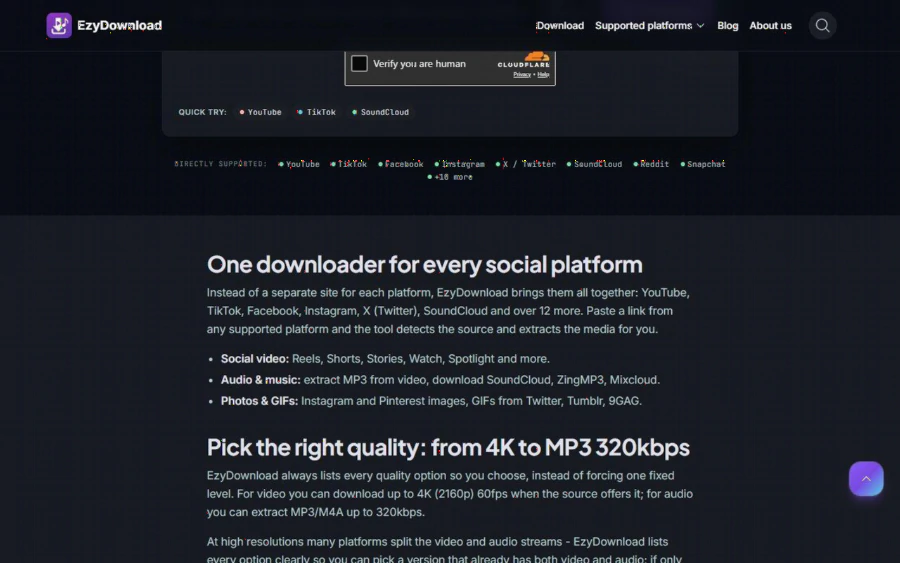
EzyDownload homepage showing the Cloudflare human check, the quick-try platform buttons and the list of directly supported platforms
The problem: teaching material lives on too many platforms
Math content is scattered. A worked solution might sit on YouTube, a short explainer on TikTok or Instagram Reels, an audio lecture on SoundCloud, and a class recording in a private Facebook group. If you want to assemble a lesson pack, you either rely on every platform staying online and fast, or you keep your own copies.
Most people solve this by searching for a separate downloader for each site. That is slow, and the quality of the results varies. EzyDownload's pitch is the opposite: one box that detects the platform from the link you paste. According to the homepage, it supports more than 18 platforms, including YouTube (Shorts included), TikTok, Facebook, Instagram, X, SoundCloud, Reddit, Snapchat, Threads, Tumblr, Pinterest, 9GAG, Rumble, Dailymotion, Streamable, BitChute, Mixcloud and ZingMP3.
What you actually get
The feature list on the site is concrete, which makes it easy to judge:
- Video in MP4 (H.264 and AAC), up to 4K (2160p) at 60 fps when the source offers it, with 1080p, 720p and lower options. The site says it lists every available quality so you choose, instead of forcing one fixed level.
- Audio in MP3 or M4A, up to 320 kbps, with 192 and 128 kbps options and ID3 v2.4 metadata. This matters if you want only the voice track of a lecture for listening on a commute.
- Photos and GIFs from certain platforms, such as Instagram and Pinterest images.
- No watermark: the site says logos and dynamic watermarks are removed, with TikTok specifically noted as watermark free.
- Browser only: it works on desktop and on iOS and Android, with no install and no extension.
One honest detail from the site is worth repeating. At high resolutions, many platforms split video and audio into separate streams. EzyDownload lists every option clearly so you can pick a version that already has both, and it says you can merge split streams yourself with an external tool such as HandBrake or FFmpeg. For a teacher this means: if you need a quick classroom clip, choose 720p or 1080p with sound included, and skip 4K unless you really need it.
Price, privacy and the fine print
On cost, the site is direct: it is free, with no paid plan, no subscription and no sign-up or email required. The About page adds that basic downloads have no cap, although it does not define what "basic" means, so heavy daily use is something you would have to test yourself.
On privacy, the site says it uses no tracking cookies, keeps no logs and does not store files on its servers: media is streamed straight to your device. These are the operator's own statements and I could not verify them independently, so treat them as claims, not audited facts. The About page presents a named individual as the person behind the tool, but it does not name a registered company, which is worth knowing if your school has procurement rules.
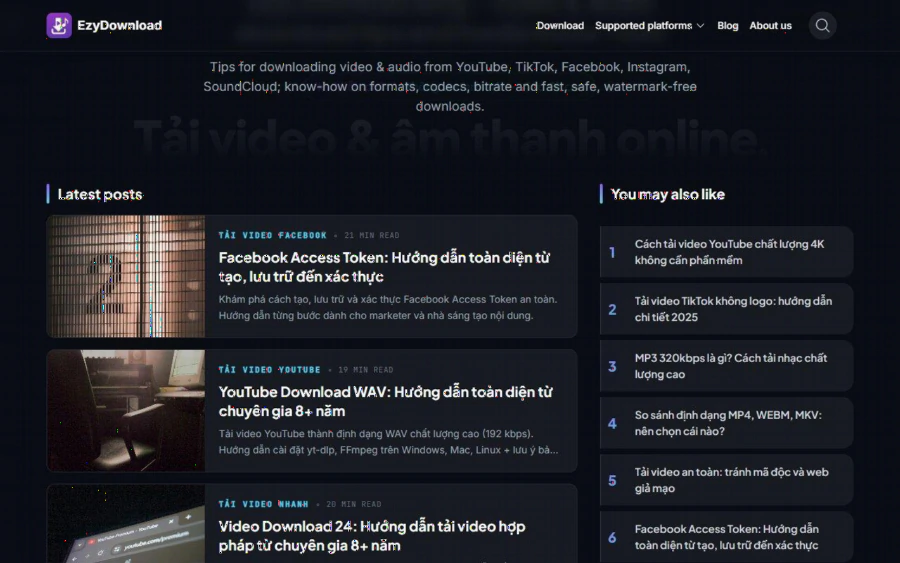
The EzyDownload blog page listing guides on downloading video and audio, formats and safe downloads
The copyright question teachers must take seriously
A downloader is a neutral tool, and it can be used well or badly. EzyDownload is clear about the boundary. Its footer says to respect the copyright of the source platform, and its FAQ says users are responsible for having the right to download: only your own content, licensed content, or content the source platform allows. It also states that it only processes public media. Private accounts, paywalled content and login-protected content can fail, and it says it respects DRM.
For a math teacher, that gives a clean checklist before you press download:
1. Is it your own recording? Saving your own lecture clip from a platform where you uploaded it is the simplest case.
2. Is it openly licensed? A video released under a licence that allows copying and reuse, such as a Creative Commons licence, can be kept offline, as long as you follow the attribution terms.
3. Do you have written permission? If a colleague or a publisher agrees, keep that email with the file.
4. Does the platform allow it? Some platforms offer their own offline mode. If so, use it.
If none of these apply, do not download it. Link to the original instead. This is not only a legal point, it also keeps your lesson materials safe from takedown notices a month before the exam.
A realistic workflow for a math teacher
Here is a routine that fits the tool's strengths:
1. Record your solution videos and upload them to your channel as normal.
2. At the end of each unit, paste the links into EzyDownload and save the 720p MP4 versions into a folder named by topic, for example "quadratics" or "trigonometry".
3. Extract the audio of long explanations as MP3 for students who prefer to listen.
4. Store the folder on the school drive and a USB stick, so a classroom without internet still works.
5. When you write the handout, link to the original online version for students who want the full quality.
The site's own blog, linked from the homepage, covers topics such as formats, codecs and bitrate, so it can double as a reference if you are not sure whether to choose MP4 or WEBM. You can browse it at the EzyDownload blog.
Strengths and limits
Strengths. It is free and needs no account. The choice of quality is explicit. One tool covers many platforms, which saves the "which downloader for which site" hunt. The copyright reminders are visible rather than buried.
Limits. It cannot download private or protected content, which is the correct behavior but will disappoint anyone hoping to bypass a paywall. The homepage shows a Cloudflare human check before a download, so there is one extra click. Platform support depends on regular updates, as the About page admits, so a given site may break for a while after the platform changes its code. Quality follows the source: a low-resolution upload will not become sharper. Finally, the site carries a promotion for a sister product, TineeAI, and community-shared sponsor links that the operator says it does not control, so keep an eye on what you click on the page.
Who should use it, and who should not
It suits teachers, tutors and course writers who handle their own recordings or openly licensed material and want a fast offline copy. It also suits anyone who wants to extract the audio of their own podcast or lecture.
It does not suit anyone planning to copy other creators' paid or protected lessons and re-upload them. That is a copyright problem, and no tool makes it acceptable. If your school has strict IT rules about third-party web tools, check with your IT team before putting it on the approved list.
How to get started
Open the homepage, paste a public link you have the right to save, complete the verification, choose a format and quality, and download. Test it first with one of your own clips, so you can see the file size and quality before you commit to a whole unit. If it suits your workflow, bookmark EzyDownload next to your lesson planning tools and build a habit: record, upload, back up. A teacher who owns an offline copy of their own best explanations has one less thing to worry about when the connection fails.
Tổng số đánh giá:
Xếp hạng: / 5 sao